Creating a Chatbot by Integrating Spring AI and DeepSeek
Recently, Chinese AI startup DeepSeek has shocked the global AI community with its high-performance language models.
Particularly, DeepSeek R1 demonstrates performance comparable to OpenAI while causing market disruption through its cost-effective pricing and open-source distribution strategy.
In this article, we will explore how to integrate DeepSeek API with Spring AI in the simplest way possible and build a basic AI chatbot.
Spring AI: A Powerful Tool for AI Integration
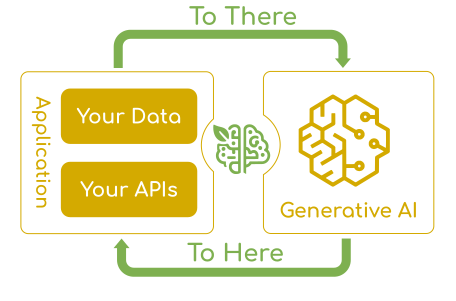
Spring AI is a project designed to integrate generative AI capabilities into the Spring ecosystem, making it easier for developers to incorporate AI models into their applications.
Key Features of Spring AI:
- Standardized API: Provides a consistent interface for various AI providers (Anthropic, OpenAI, Microsoft, Amazon, Google, Ollama, DeepSeek, etc.).
- Modular Architecture: A flexible structure that is not tied to a specific AI provider.
- Easy Integration: Seamless integration using Spring Boot’s auto-configuration.
- Extensibility: Support for custom models and options to handle advanced use cases.
Spring AI is particularly well-suited for enterprises looking to quickly adopt and scale AI functionalities.
DeepSeek: High Performance, Affordable Pricing
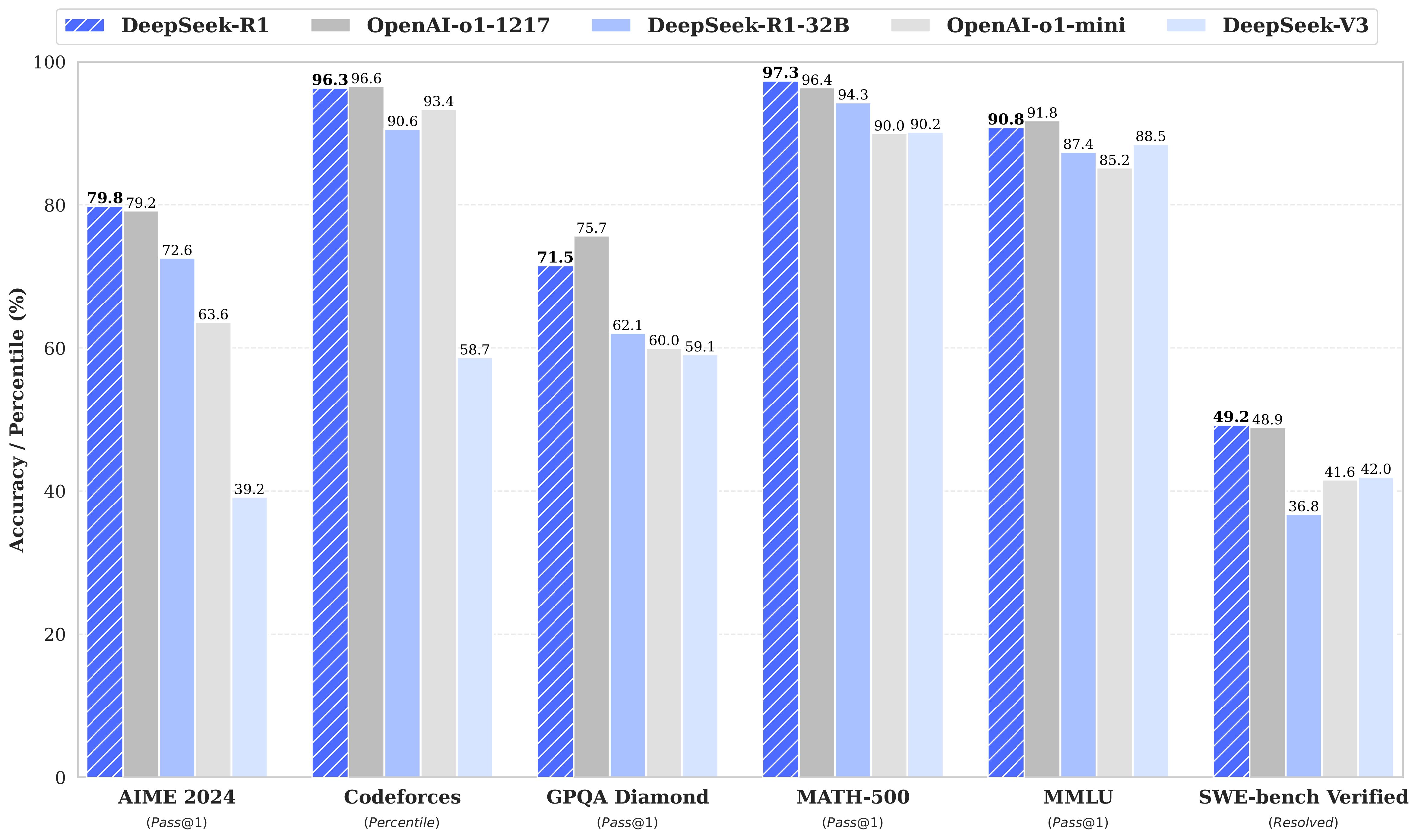
DeepSeek, a previously lesser-known company, has gained significant recognition with the release of DeepSeek R1. Offering performance comparable to OpenAI’s models at a lower price, along with an open-source distribution strategy, the company has even shaken up the U.S. capital market.
Key Features of DeepSeek:
- High-performance LLM: Advanced language model matching OpenAI-o1 capabilities
- OpenAI-compatible API: Full compatibility with existing OpenAI-based applications
- Cost Efficiency: More affordable pricing than OpenAI
Prerequisites
- Java 17+ installed
- Gradle 8+ installed
- DeepSeek API key obtained (Get your key from DeepSeek)
- Environment variable setup (It is recommended to store the API key as an environment variable instead of directly in application.yml.)
Implementation
1. build.gradle Configuration
Create a Spring Boot project and configure dependencies in build.gradle:
plugins {
    id 'java'
    id 'org.springframework.boot' version '3.4.2'
    id 'io.spring.dependency-management' version '1.1.7'
}

group = 'com.example'
version = '0.0.1-SNAPSHOT'

java {
    toolchain {
        languageVersion = JavaLanguageVersion.of(17)
    }
}

repositories {
    mavenCentral()
    maven { url 'https://repo.spring.io/milestone' }
    maven { url 'https://repo.spring.io/snapshot' }
}

dependencies {
    implementation 'org.springframework.boot:spring-boot-starter-web'
    implementation 'org.springframework.ai:spring-ai-openai-spring-boot-starter:1.0.0-M5'
//    implementation 'org.springframework.ai:spring-ai-ollama-spring-boot-starter:1.0.0-M5'
}
The
spring-ai-openai-spring-boot-starterdependency is compatible with all services that follow OpenAI’s API standard.
2. application.yml Configuration
Next, configure application.yml to connect to the DeepSeek API and set model options.
By simply changing the values of
base-url,api-key, andmodel, you can integrate with other language models as well.
spring:
  application:
    name: spring-ai-deepseek
  ai:
    openai:
      base-url: https://api.deepseek.com
      api-key: ${DEEPSEEK_API_KEY}
      chat:
        options:
#          model: deepseek-chat
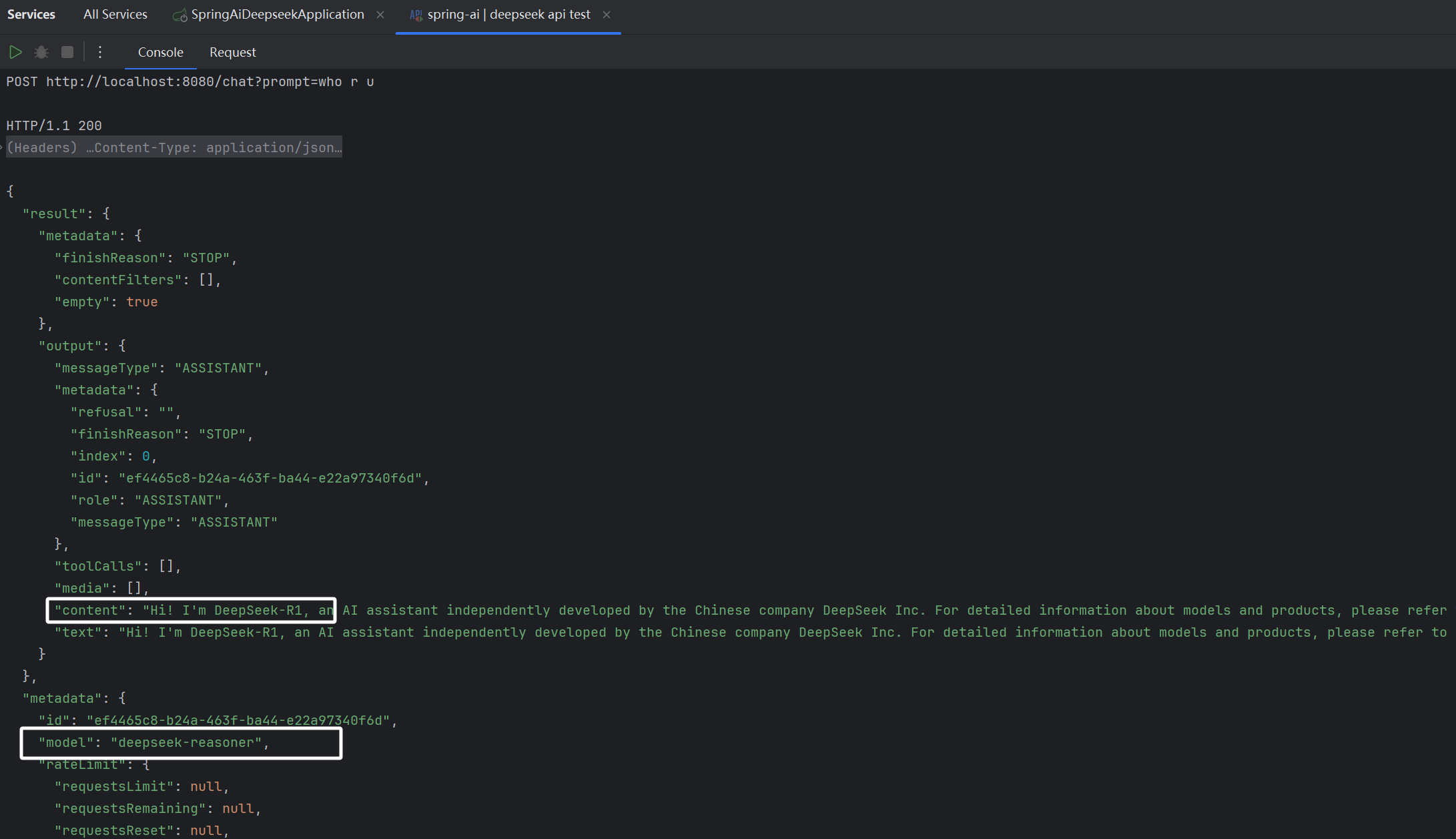
          model: deepseek-reasoner
          stream-usage: false

#    ollama integration
#    ollama:
#      base-url: http://localhost:11434
#      chat:
#        options:
#          model: deepseek-r1:7b
3. Implementing the Controller
Now, let's create a Spring Boot REST Controller to interact with DeepSeek API using Spring AI.
@RestController
@CrossOrigin(origins = "*")
public class ChatController {

    private final ChatClient chatClient;

    public ChatController(ChatClient.Builder builder) {
        chatClient = builder.build();
    }

    @PostMapping("/chat")
    public ChatResponse chat(@RequestParam String prompt) {
        return chatClient.prompt().user(prompt).call().chatResponse();
    }
}
API Testing
Due to a surge in users, the Deepseek API service is still unstable. In case of API errors, please check the service status at the following link:
Check service status: https://status.deepseek.com/
Implementing a Chat UI
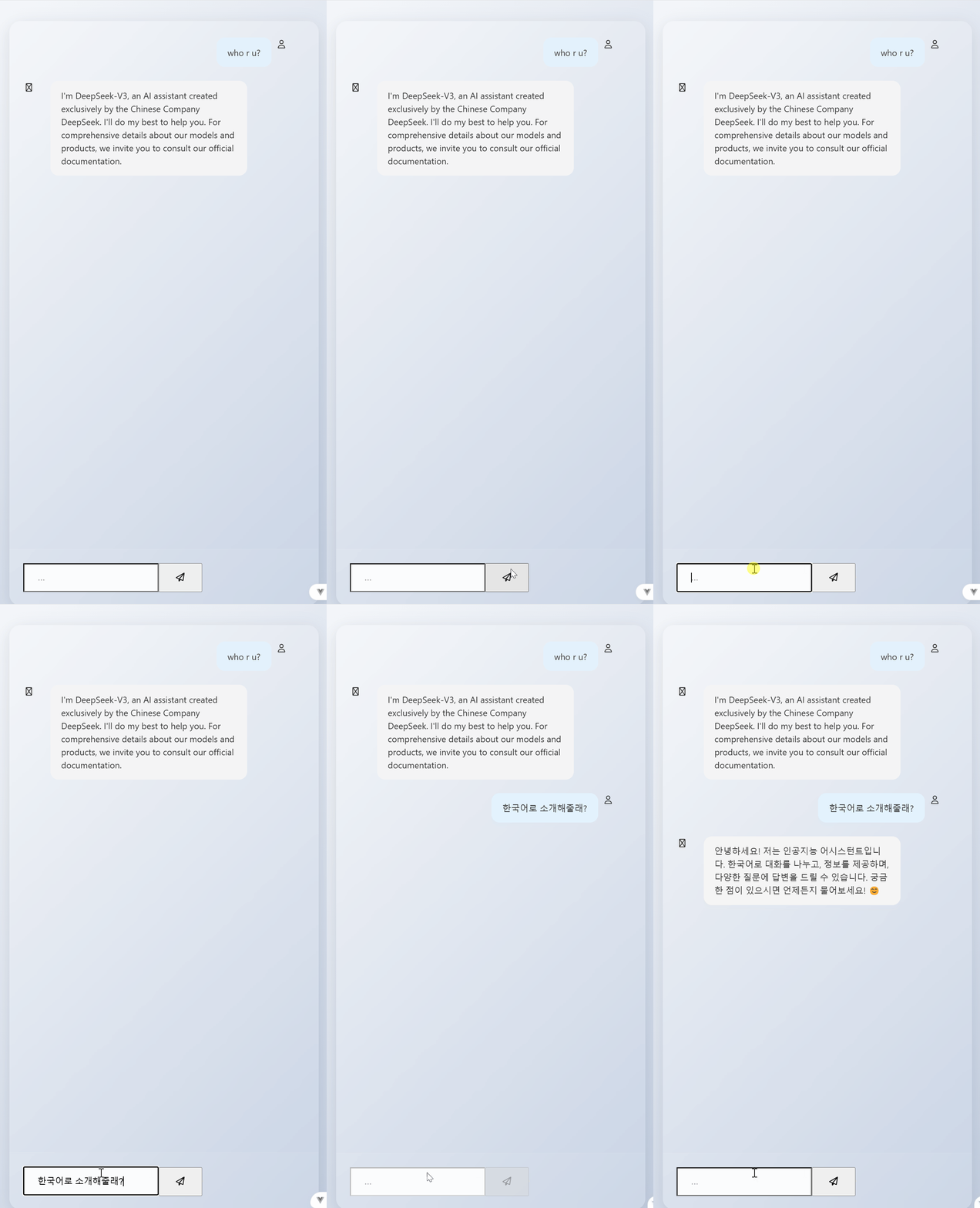
I used Cursor to create a simple UI for testing, I encourage you to use any AI tools that work best for you to build a UI that fits your needs.
Conclusion
In this guide, we explored how to integrate DeepSeek API with Spring AI and build a simple AI chatbot.
As DeepSeek continues to emerge as a strong competitor to OpenAI, it is expected to significantly impact the AI market in the future.